 2026 Litigation Technology of the Year










“What Clearbrief has accomplished stands alone. When design requires lawyers to verify and validate outputs in real time as Clearbrief has done, you reinforce good judgment and responsible AI usage habits.”
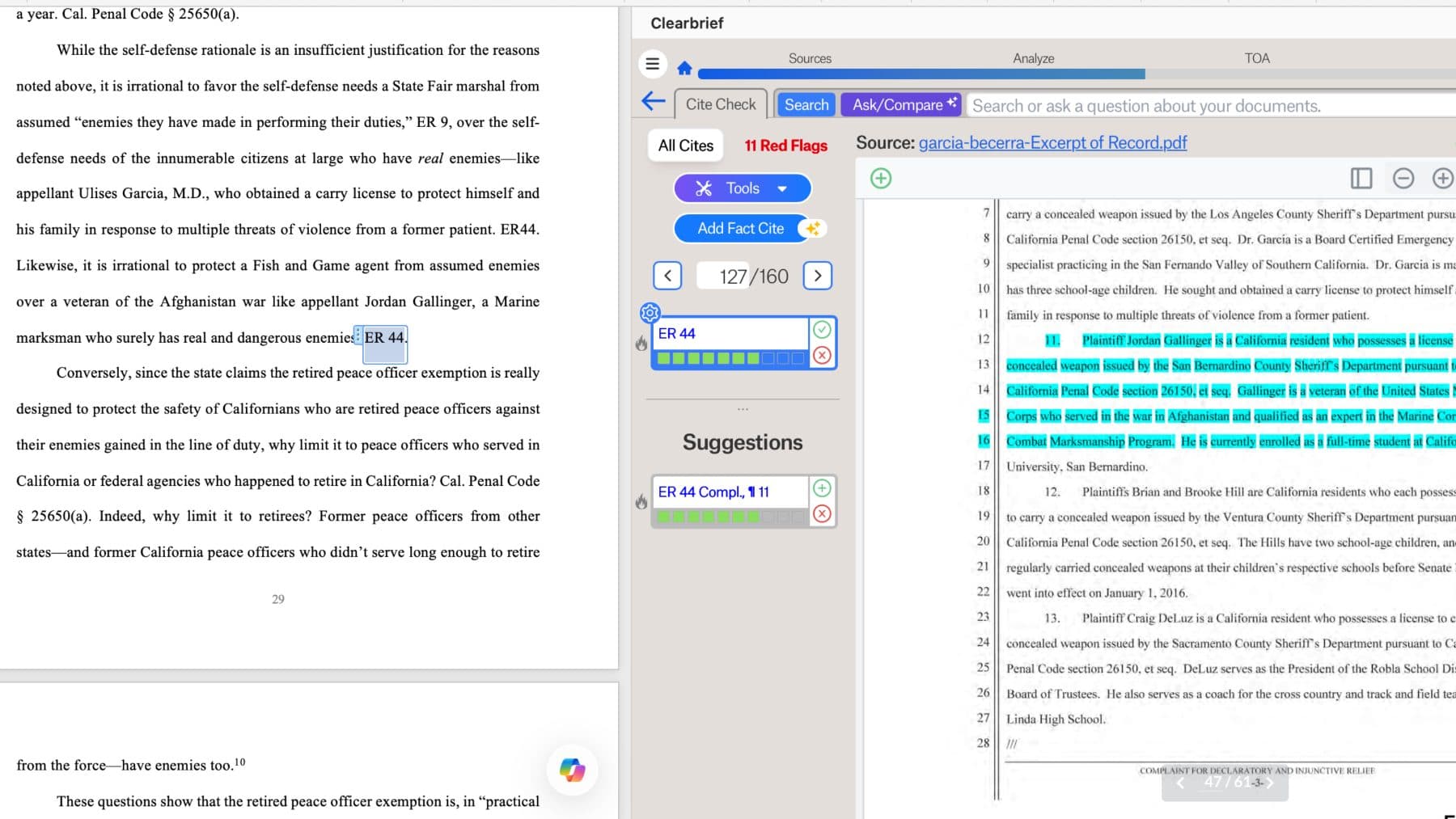
Clearbrief is the only platform that systematically checks citations to both the law and facts without Gen AI (so it can’t hallucinate).
Hyperlink any brief or motion for the court, build instant Tables of Authorities, Exhibits that update dynamically as the draft changes, Timelines, Fact sections, and summaries of 50K+ files with clickable cites.
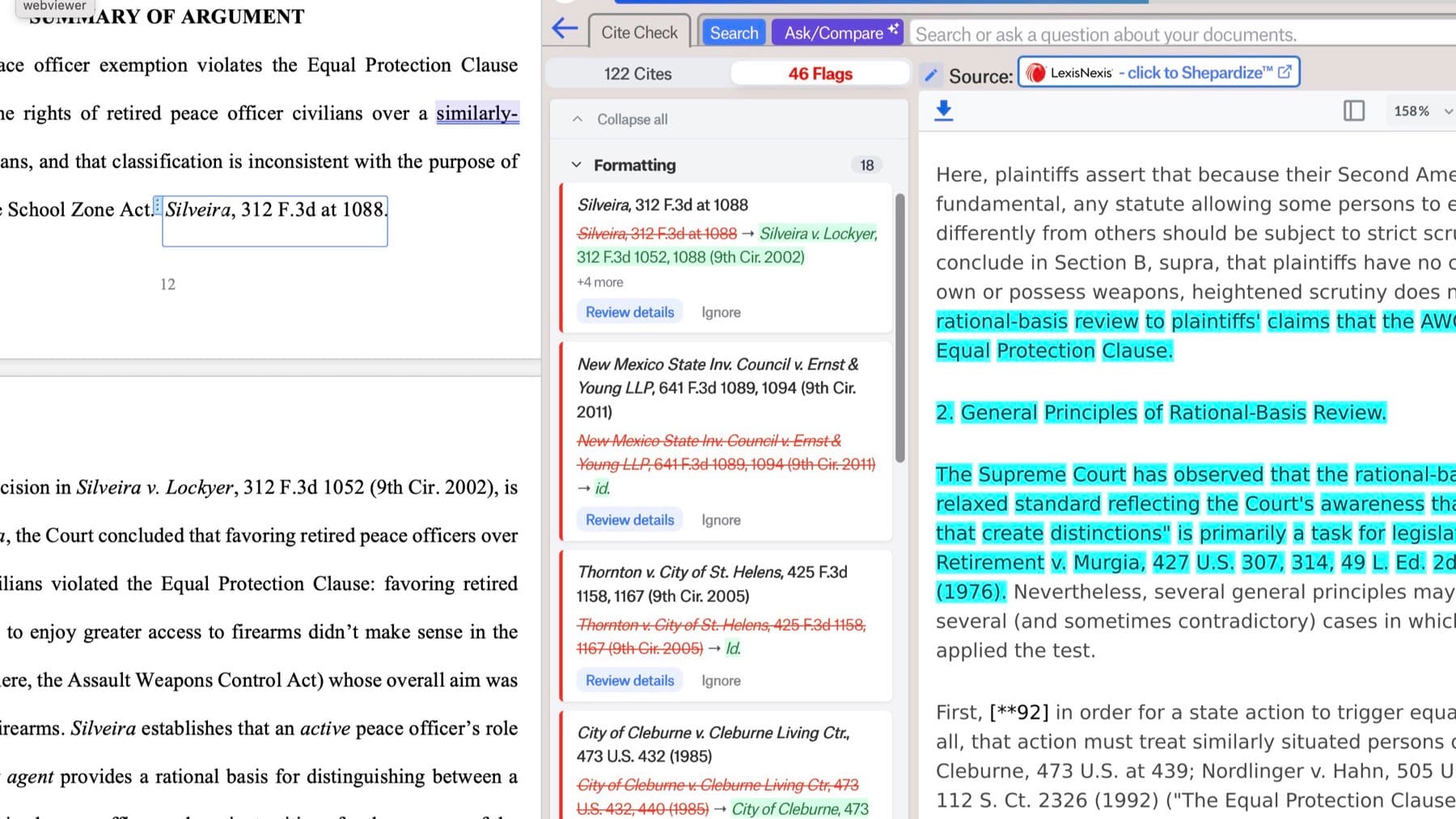
Integrates with where your sources live, LexisNexis and Fastcase vLex.
 Fastcase vLex (Clio)
10,000+
Litigators using Clearbrief.
5,500+
Arbitrators and mediators equipped with Clearbrief. The official cite-checking tool of the American Arbitration Association.
5.4M+
Citations checked with Clearbrief since launch.
“What Clearbrief has accomplished stands alone. When design requires lawyers to verify and validate outputs in real time as Clearbrief has done, you reinforce good judgment and responsible AI usage habits.”

“I’ll be writing something, and then I’m usually writing off of memory, and then I want to make sure there is a strong piece of evidence I can cite to for what I’m saying. To be able to be within the same platform, Word, and just pull up the evidence, I just find Clearbrief a lot more convenient in terms of how I work.”
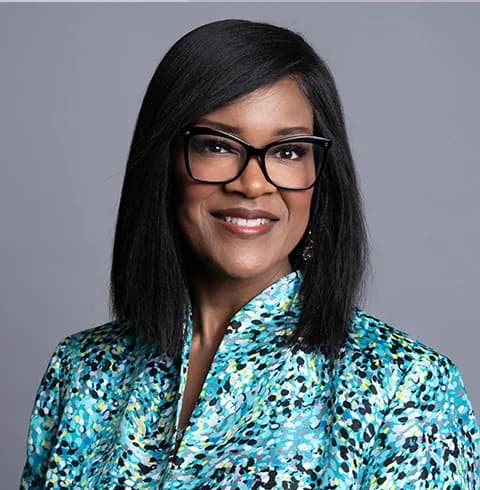
“Clearbrief is hooked into LexisNexis — if you have case citations generated through AI it will tell you if some of them are hallucinations. It spares you the embarrassment of submitting a brief with fake cases.”
“I swear I’m not a rep, but I tell everyone at the firm about Clearbrief. Everyone is scared of hallucinations, and the hyperlinking solves that!”
“The hyperlinking is an incredible feature. What it would take from a time perspective to hyperlink a 60 page brief compared to what Clearbrief can do is absolutely awesome. When we do this manually, we have to make sure the brief is done a day and a half earlier to make sure that there is time for it.”
Courts in every jurisdiction are cracking down on attorneys who sign filings containing AI hallucinations and levying penalties ranging from public shaming to $130K in fees.
Court rules, caselaw, and emerging state laws now require that every attorney signing must be able to certify that each cited source exists, is accurate, and they have reviewed it with their own eyes.
2,000+
sanctions cases to date that could have been avoided with Clearbrief.
Use it at the end of the writing process to systematically verify every citation to the law and factual record, no matter what AI tools got used along the way.
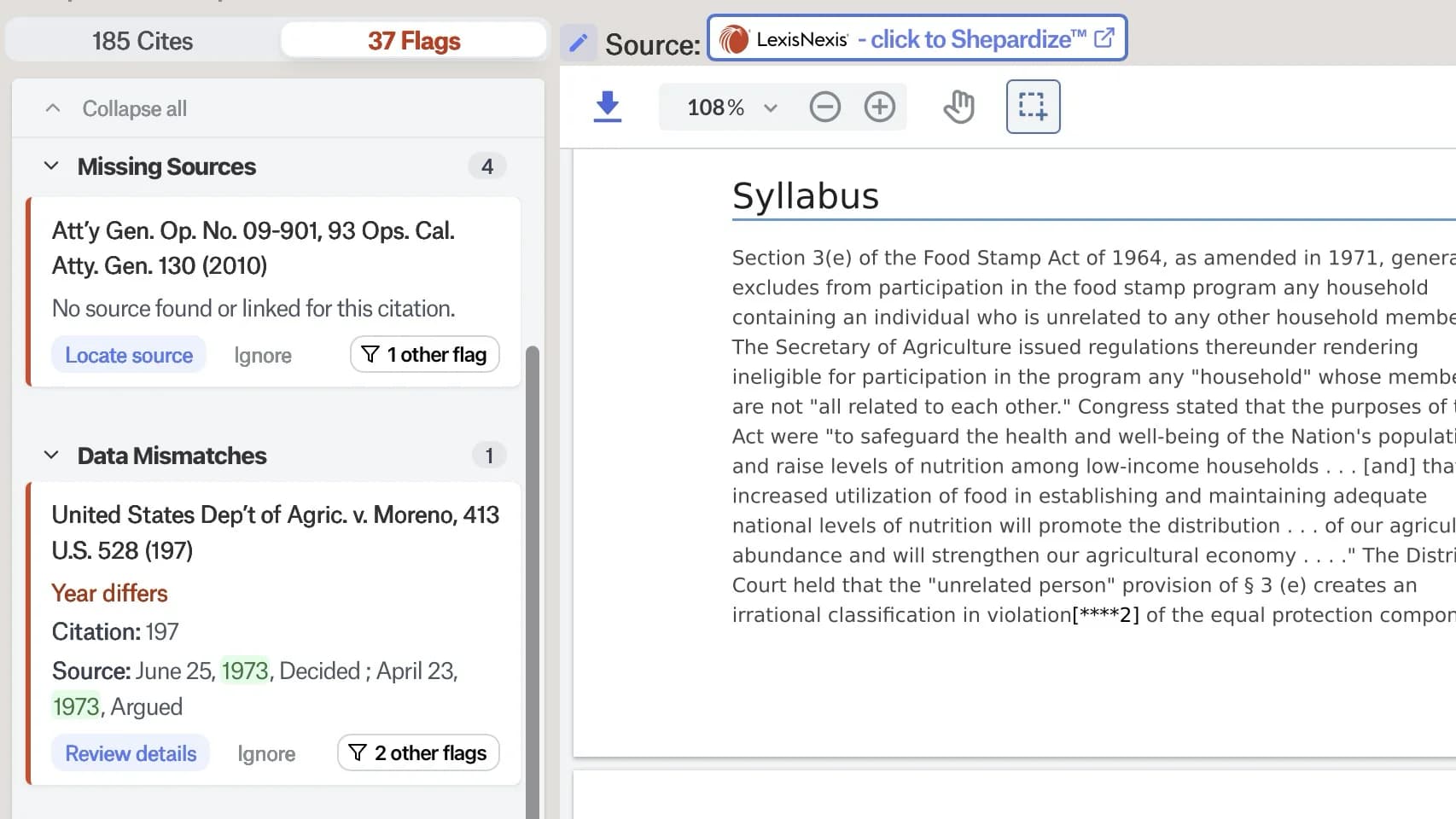
Courts are shifting fees to lawyers who catch an opponent’s AI errors, and increasingly penalizing those who miss them. Clearbrief helps you catch them by converting the PDF to a word document and analyzing it.
From searching facts and creating timelines to tables of authorities, exhibits, and hyperlinked filings, every tool leverages links back to the source, right in Word.
Use the patented Add Fact Cite tool to select any text in the Word doc & automatically populate clickable citations to your evidence from Relativity, Reveal, iManage, NetDocuments, Clio, & more.
Our curated set of Gen AI tools guides you through the workflows, so you don’t need to be good at prompting and you always get consistent results with hyperlinked sources that help you check.
Clearbrief meets the strictest security requirements in the industry.
Clearbrief is used by hundreds of firms across the AmLaw 10, 100, 200, by boutique firms, solo practitioners, courts, government agencies, arbitrators, & in-house legal teams.
Get Clearbrief from the Microsoft AppSource store (if you’re a small firm) or request a demo.
Still have questions? Request a demo and ask us directly.
Clearbrief is a Microsoft Word Add-In that helps litigation and HR teams write, cite-check, hyperlink, and verify written work, with every legal and factual citation tied back to a visible source in Word.
Unlike GenAI chatbots, Clearbrief’s cite-checking tools are powered by deterministic (rules-based) AI, not generative AI, so it can’t hallucinate. Our generative AI tools like our patented timeline tool, facts section, and investigation report layer rules-based models with genAI models, using fewer tokens and providing more accurate results that always include a clickable citation to the source.
Yes. Clearbrief runs as a task pane inside Microsoft Word, so legal teams can search sources, add fact citations, analyze drafts, and create hyperlinked PDFs without leaving their document.
When you’re done writing in Word, click a button to create a secure, web-based version of the document that can be viewed by users who don’t have Word, and they don’t need a Clearbrief account either to view the document with all cited sources.
Yes. Clearbrief creates secure, hyperlinked PDFs of briefs, motions, investigation reports, and any legal writing right from inside Word - we call them courtesy copies. If you use Clearbrief to cite-check, making the doc hyperlinked for filing is only another few clicks.
Clearbrief has hyperlinking options that allow a paralegal or attorney to:
Clearbrief’s hyperlinking tools rely on deterministic (rule-based) AI, not generative AI, so they can’t hallucinate, and the results will always be consistent every time.
Because Clearbrief links your citations to their source documents as part of the cite-checking process, Clearbrief can automatically generate a court-ready Table of Authorities, compile your exhibits, and build a hyperlinked version of your document.
Clearbrief’s Table of Authorities and Exhibits tools rely on deterministic (rule-based) AI, not generative AI, so they can’t hallucinate, and the results will always be consistent every time.
Clearbrief is built to always keep the source material in view from Word, with key text highlighted so you can visually see how the source relates to a sentence in your document. Generated summaries, timelines, tables, and draft sections link back to the underlying documents, so all of the lawyers who need to review a draft can verify the work themselves, no matter who initially generated the draft with AI.
Unlike with Harvey, Legora, Claude, or Copilot, Clearbrief’s cited sources remain clickable and visible to everyone along the way who interacts with the Word document. The partner never has to wonder if the associate checked the AI output, as it’s visible for others to re-check during the writing process.
All of Clearbrief’s cite checking tools use rules-based (deterministic) AI, which can’t hallucinate. We have the only cite-checking platform that also systematically checks references to factual evidence in addition to caselaw and statutory citations.
When you’re done, you can click to build a Cite-Check Report that documents as an audit trail that the user did in fact cite-check the document before filing or sharing it.
Yes. Clearbrief analyzes a draft and flags potential hallucinations, citation errors, inaccurate quotes, and authorities that may not be supported before the document is filed or shared and makes it easy for the reviewer to view, verify, and correct any errors. Clearbrief gives you a fast way to click through each citation in the Word doc and spot mistakes, including cites to both facts and law, and the Flags analysis suggests potential fixes.
When you cite-check with Clearbrief, it creates an audit trail showing you satisfied the new California law requiring every person signing the brief to certify that they laid eyes on the cited sources, and the Cite Check Report gives you the backup you need to prove your diligence.
Many firms require litigators to run their own filings as well as opposing counsel’s filings through Clearbrief to catch citation typos, since more litigators now treat typos as a sign of sloppy Gen AI use that can result in costly motion practice and reputational damage.
Yes. Clearbrief checks whether factual assertions are supported by the record, transcripts, exhibits, and other source documents, and surfaces the supporting passage. You can also use Clearbrief’s patented Add Fact Cite button to select any text in your draft and find relevant factual evidence to cite to, ranked in order of potential relevance to the sentence.
Clearbrief’s new Smart Linking feature (released in Fall 2026) connects all the cited facts to the uploaded evidence with significantly less manual effort. Most of our Biglaw customers rely on paralegals or an associate to create the Clearbrief matter folder, upload the sources, and run Smart Linking, then share the Matter with other litigators so they can satisfy their review requirements after cites have been linked. You can also dissect opposing counsel’s brief: use Convert a PDF to Word and Analyze, then use Add Fact Cite on the sentences in their facts section to easily find the evidence they decided not to include.
No. Clearbrief uses deterministic AI, not generative AI, to check citations. Checking one generative model’s output with another generative model carries the same hallucination risk it’s supposed to catch.
Recent academic research found that Gen AI models achieve only 22–51% accuracy on rule-based citation and Bluebooking issues, and OpenAI’s own research explains that large language models will never be able to completely eliminate hallucinations. And when an AI model gives you a summary of issues, you have no idea what was left out. Cite-checking requires systematic review, not a summary.
Yes. Many Clearbrief workflows, including citation checking, source linking, and hyperlinked PDFs, focus on verification and do not require generating new text.
Clearbrief allows organizations to gate genAI features by matter and user, and the user interface also makes it clear when using the product when a feature relies on generative AI.
No. Clearbrief does not use your documents to train large language models. Clearbrief’s generative AI features leverage specific models developed by model companies; Clearbrief does not develop large language models itself. We only use generative AI models in specific features of the product. For those models, we have an agreement with the model provider for zero day retention (the user data is not retained at all by the model provider, so they simply don’t have access to it to use for training) and that they have agreed they will never train on our users’ data.
Clearbrief is built for confidential legal work, with SOC 2 Type II security and enterprise deployment support, including bring-your-own storage and control over whether and how Gen AI is used.
Those tools generate legal drafts, including performing legal research. Clearbrief does not do legal research, but it is used alongside these tools to verify their outputs, checking citations against the actual record and keeping the draft connected to its sources before it is filed, shared, or signed.
Claude, ChatGPT, Harvey, Legora, Protege, Westlaw and CoCounsel are built for creating the draft, not for the systematic cite-checking process litigators must perform. In Hill v. Found. Media LLC, No. 25-cv-5947 (AS), ECF No. 57 (S.D.N.Y. Sept. 29, 2026), a firm disclosed that it had used Harvey’s tools in preparing a filing that cited a nonexistent case. This is an example of an error Clearbrief would have caught if used alongside Harvey.
BriefCatch is a legal writing and citation-formatting editor. It does not build Tables of Authorities, search source documents for evidence, or verify that a factual claim is actually supported by the record, which is Clearbrief’s core function. Unlike BriefCatch, Clearbrief is the only platform that systematically checks citations to both the law and facts without Gen AI.
Clearbrief integrates with where your sources live, LexisNexis and Fastcase vLex. It automatically links and displays the law cited in your draft via LexisNexis (for mutual subscribers) or Fastcase vLex (Clio) (no subscription needed). You can check both facts and law as you use other generative AI tools like Harvey, Legora, Westlaw, and LexisNexis.
Many of our customers do their legal research in Westlaw and check over their work in Clearbrief using the LexisNexis or Fastcase vLex (Clio) sources that display automatically. Clearbrief automatically displays cited legal authorities side-by-side with your writing in Word thanks to our seamless integrations with LexisNexis (for Lexis subscribers) or Fastcase vLex Clio (for all other users). Clearbrief automatically detects and links to the Lexis or Fastcase vLex version of the case for the majority of Westlaw “database” citations. Clearbrief also has a fast way for users to upload Westlaw cases into Clearbrief so that they display automatically for citations at the exact pincite instead of the Lexis or Fastcase vLex version of the source.
Clearbrief is used by Am Law and BigLaw litigation teams, HR and workplace investigators, arbitrators and mediators, courts, in-house legal teams, boutique and solo firms, government agencies, appellate teams, pro bono organizations, and law schools. A majority of the AmLaw 20 use Clearbrief, and it is the official cite-checking tool of the American Arbitration Association.
Yes. Clearbrief is built for serious, high-stakes legal work and is used across Am Law firms, courts, arbitration, and government legal teams that cannot afford citation or verification mistakes.
Clearbrief is priced as an annual, license-based subscription. Solo plans are $300 per user per month, with lower pricing for multi-year agreements. Enterprise Unlimited plans have custom pricing with volume discounts and include 1:1 training on Clearbrief tools and responsible AI use. Schedule a demo to see pricing for your team.
See how Clearbrief helps legal teams draft faster, verify citations, and produce source-linked work product.
Built into Microsoft Word · SOC 2 Type II · Does not train on your data
One simple price. Even if you only use one of Clearbrief's core features, you'll get the ROI.
For Solo: Want lower pricing? Contact us about multi-year agreements. Email hello@clearbrief.ai to learn more.
For Enterprise Unlimited: Our platform includes our industry-leading 1:1 training — we handle getting your team upskilled in the use of responsible AI.